

REALTOR AI PLAYBOOK · 08
Better Marketing. Stronger Conversations. Practical AI.
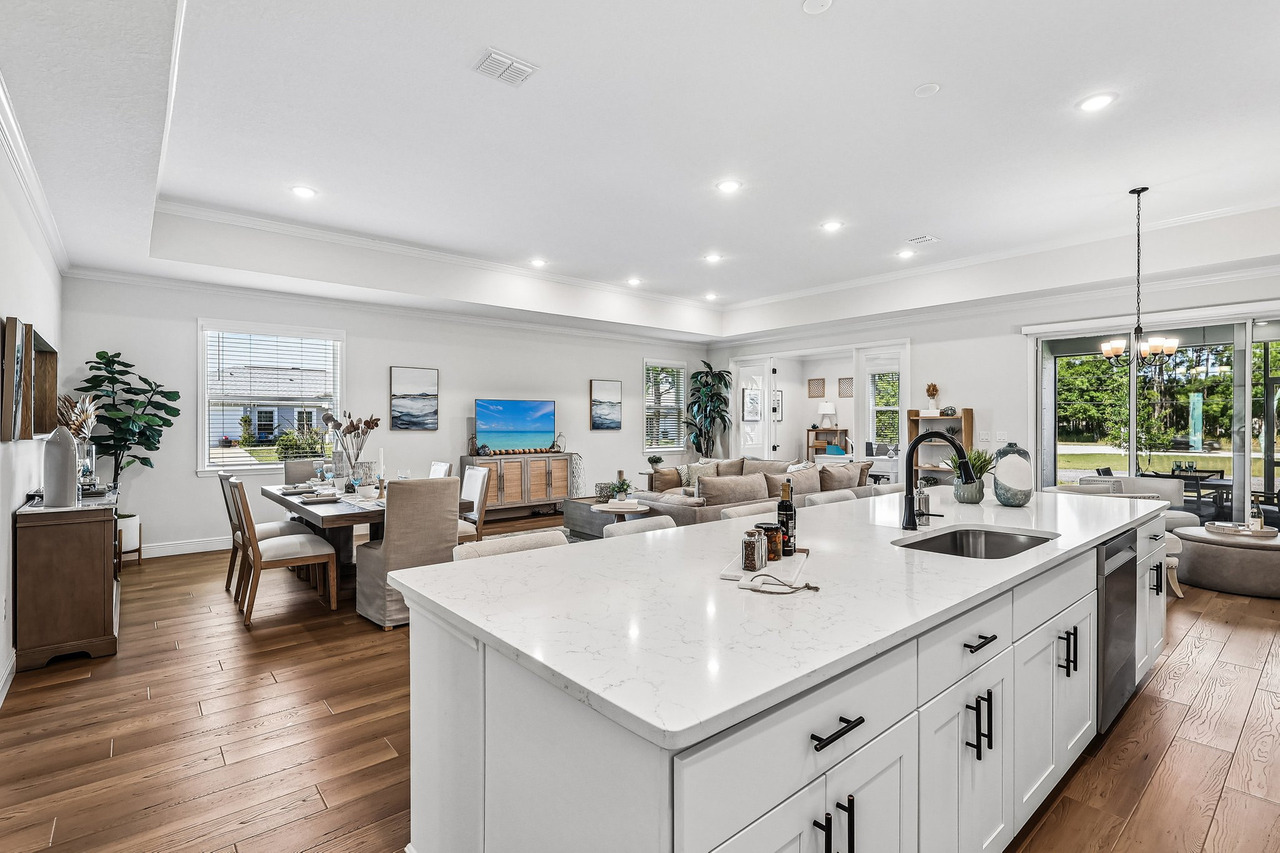
A kitchen photo can answer more than one question. It can show how the island relates to the seating area, explain what a wide view leaves out, or help a seller see why cleared counters matter. Those are different ideas. Posting the same “beautiful kitchen” caption as a photo, Reel and Story is one idea in three containers.
Try this before opening ChatGPT: choose one image from a shoot you are allowed to use. Finish the sentence, “This photo helps someone understand…” Write three different endings. If all three mean “the home looks nice,” you have found the problem to solve.
This article gives you a 12-post content plan, a copyable prompt and a simple test for repetition. You will build from the photographs and verified information you have. You will also learn when an idea should wait because its supporting material is missing.
Start with the evidence, not the calendar
Open the delivered gallery and make a short inventory. Name what is in each file, not what you hope it proves. “Kitchen and living area in the same frame” is useful. “Perfect entertaining home” is an opinion that needs more context.
Keep three groups: ready to use, needs a fact check, and missing. A photograph you can identify and are licensed to use belongs in the first group. Appliance specifications, dimensions and current availability usually need another source. A walk-through video you never received belongs in the third group, even if ChatGPT writes an excellent video concept.
For the demonstration below, the source is Magic Lens Photo Media’s published Palm Bay model-home project. That article documents exterior, kitchen, living, bedroom, bathroom, office and patio photographs. It also describes a floor plan and 3D tour. This lesson uses the published photos and production notes. It does not assume we have a tour link, a floor-plan file, a current listing or permission to advertise a property for sale.
A new format is not automatically a new idea
Here is a fair before-and-after comparison using the same image. Neither version requires a new service, a bigger budget or a made-up feature.
Before — illustrative caption: “Beautiful open-concept home. Take a look at this kitchen and contact me for details.”
After — illustrative caption: “Wondering how the kitchen connects to the living area? This view puts the island, dining table and seating area in one frame. Use it to orient yourself, then check the floor plan for room placement and dimensions.”
The second version answers a question and explains the image’s limits. It does not claim that the room is larger, safer or better built than another home. A second post could use that same photograph to teach sellers how visible surfaces affect a photo. The image repeats; the lesson changes.
Now review your three sentence endings. Underline the question each one answers. Two posts that answer the same question with the same takeaway probably belong together. Changing “tour” to “discover” does not create a new angle.
Twelve posts from one documented shoot
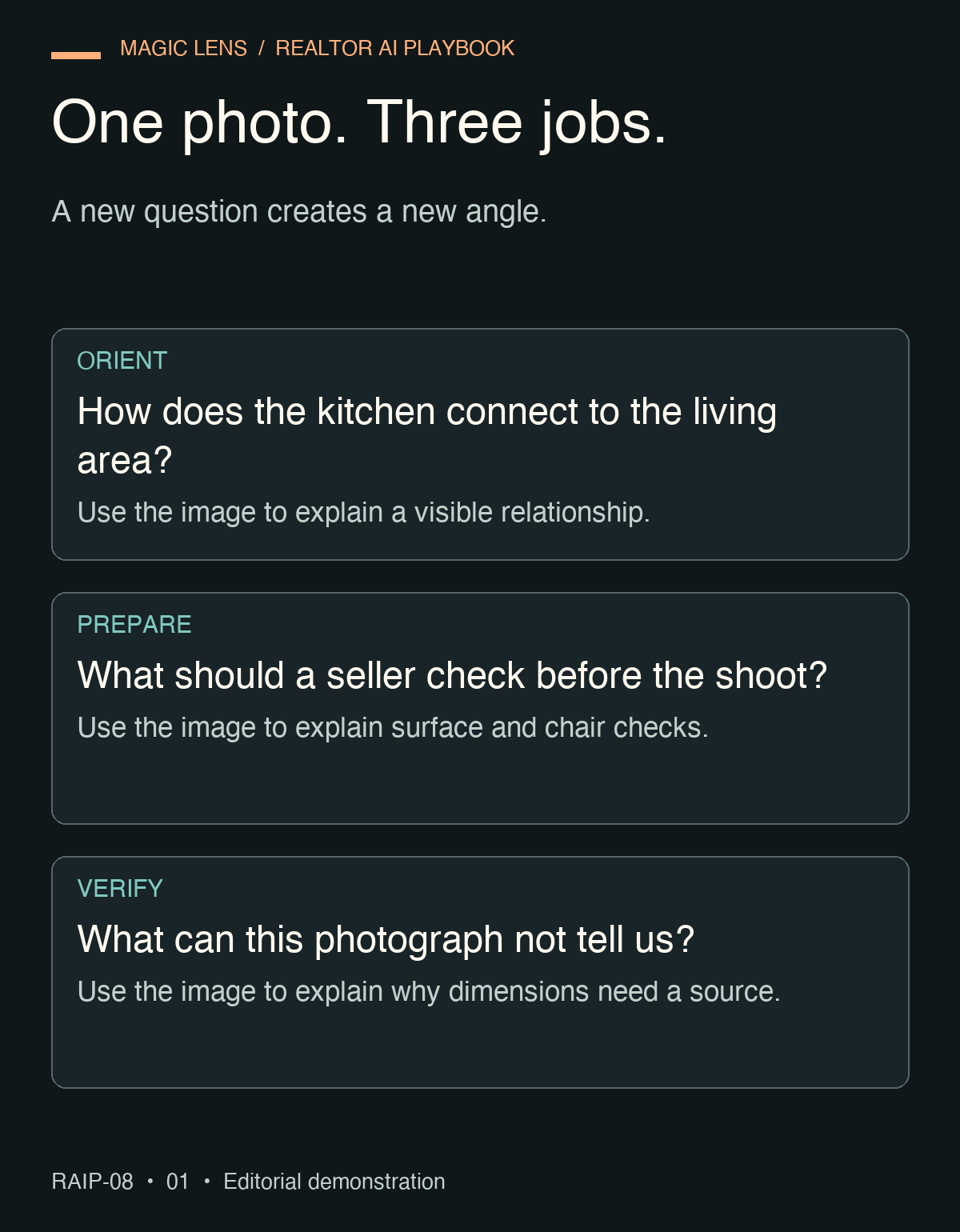
The plan below is illustrative. It draws on the Palm Bay gallery and the photographer’s published production notes. Before adapting it to an active listing, verify status, property facts, image rights and brokerage requirements. These are twelve distinct editorial jobs, not twelve claims that the property sold because of its media.
01 · PRESENTATION
Give the viewer a starting point
Question: What am I looking at? Use the exterior photo to introduce a model-home photography example in Palm Bay. Name only the location and project type supported by the case study. The takeaway is orientation. For an active listing, add a current, verified listing link; for this archived example, link to the case study.
02 · ROOM RELATIONSHIPS
Explain what connects to what
Use the kitchen-to-living photograph to show the island, dining table and seating area together. A short photo sequence can answer “How do these main spaces relate?” Keep any explanation of dimensions separate from what the image actually shows.
03 · DETAILS
Look at one visible finish
Choose the kitchen view that shows cabinet fronts, handles and the island. Describe those visible details. Do not name a countertop material, appliance model or construction grade without a specification sheet. The useful next question is what the buyer wants confirmed before a visit.
04 · PHOTO PREPARATION
Give sellers a surface check
The staged kitchen can illustrate a three-item preparation checklist: remove personal paperwork, review countertop objects and check chair placement. Label this as advice inspired by the image. Do not claim a before-and-after transformation when no before photo exists.
05 · CIRCULATION
Show what a wide photo cannot answer
Use the living-room view to explain that a photograph helps with orientation but does not verify clearances. Invite viewers to check the actual floor plan or inspect the space. A furnished room is not proof that a wheelchair, sofa or moving box will fit through every route.
06 · STAGING
Separate the room from its styling
Compare two bedroom photographs from the shoot. Discuss how bedding, furniture and camera position guide attention. Say “shown here with this staging,” not “furniture included” or “ideal for a certain kind of family.” The takeaway is how to read a staged image.
07 · A PRACTICAL QUESTION
What would you check in this bathroom?
Use the bathroom photograph to prompt a practical inspection question about storage or layout. Tell viewers to verify measurements and features in person or with reliable documents. Avoid diagnosing water pressure, ventilation or workmanship from the photograph.
08 · FLEX SPACE
Show one possible arrangement
The office photograph demonstrates a desk arrangement. Ask which measurements a viewer would need for their own furniture. Do not relabel the room as a legal bedroom or imply soundproofing, internet speed or permitted use.
09 · OUTDOOR CONNECTION
Explain the covered patio’s role
Show the covered patio and describe the relationship visible in the available images. The post can help viewers identify an outdoor space they want to inspect. It cannot establish year-round comfort, pest protection or privacy beyond the frame.
10 · BEHIND THE WORK
Explain one photographer’s decision
The published case study discusses blinds, chairs, reflections and doors during preparation. Build a text-led post around why these checks matter. Use a finished image as an illustration. Label it “production note”; do not imply that the picture is an actual behind-the-scenes capture.
11 · MEDIA CHOICE
Why this shoot did not need drone
The case study says the strongest story was inside this home. Explain that decision using the interior gallery. This post answers “Which media would add information?” It does not claim that drone is unnecessary for all model homes or available as footage from this project.
12 · GALLERY CURATION
Help a viewer read the full story
Select an exterior, connected-room view and practical-space image. Explain what each adds, then direct readers to the documented gallery or case study. This is a lesson in choosing evidence, rather than another “just listed” announcement. It closes the loop without inventing a sale or a performance metric.
Notice the distinction: presentation, flow, finishes, preparation, measurement limits, staging, inspection questions, flex use, outdoor context, production, service choice and curation. Those are the twelve jobs. Photo, carousel and Reel are containers you choose afterward.
Give ChatGPT the inventory and one clear assignment
Replace the brackets with a brief inventory you have checked. You do not need to upload every photo. File labels and accurate descriptions can be enough for the planning step. If you do provide images, remove unnecessary personal information and confirm your right to share them.
Help me plan 12 distinct posts from one real estate media shoot.

My communication goal: [GOAL]
Project type and verified location: [TYPE AND LOCATION]
Status and date checked: [CURRENT LISTING / ARCHIVED PROJECT / OTHER]
Assets I may use, with labels and descriptions: [ASSET INVENTORY]
Verified facts and their sources: [FACTS AND SOURCES]
Production notes I can support: [NOTES]
Materials or facts I do not have: [MISSING ITEMS]
Available next steps or resources: [REAL DESTINATIONS]

Give each post a different audience question and takeaway. Do not
count a format change as a new angle. Use only the supplied assets.
Do not infer dimensions, safety, accessibility, school quality,
protected characteristics, included furnishings or sale results.
Do not invent video, a floor plan, a testimonial or a case result.

Return: number, question, asset label, verified point, opening line,
suggested format, next step and fact check. Flag missing information.
If fewer than 12 useful ideas are supported, explain the shortfall
and mark additional concepts as WAITING, not ready to publish.
Finish by identifying overlaps and any claims that need review.
Check one filled example before accepting all twelve
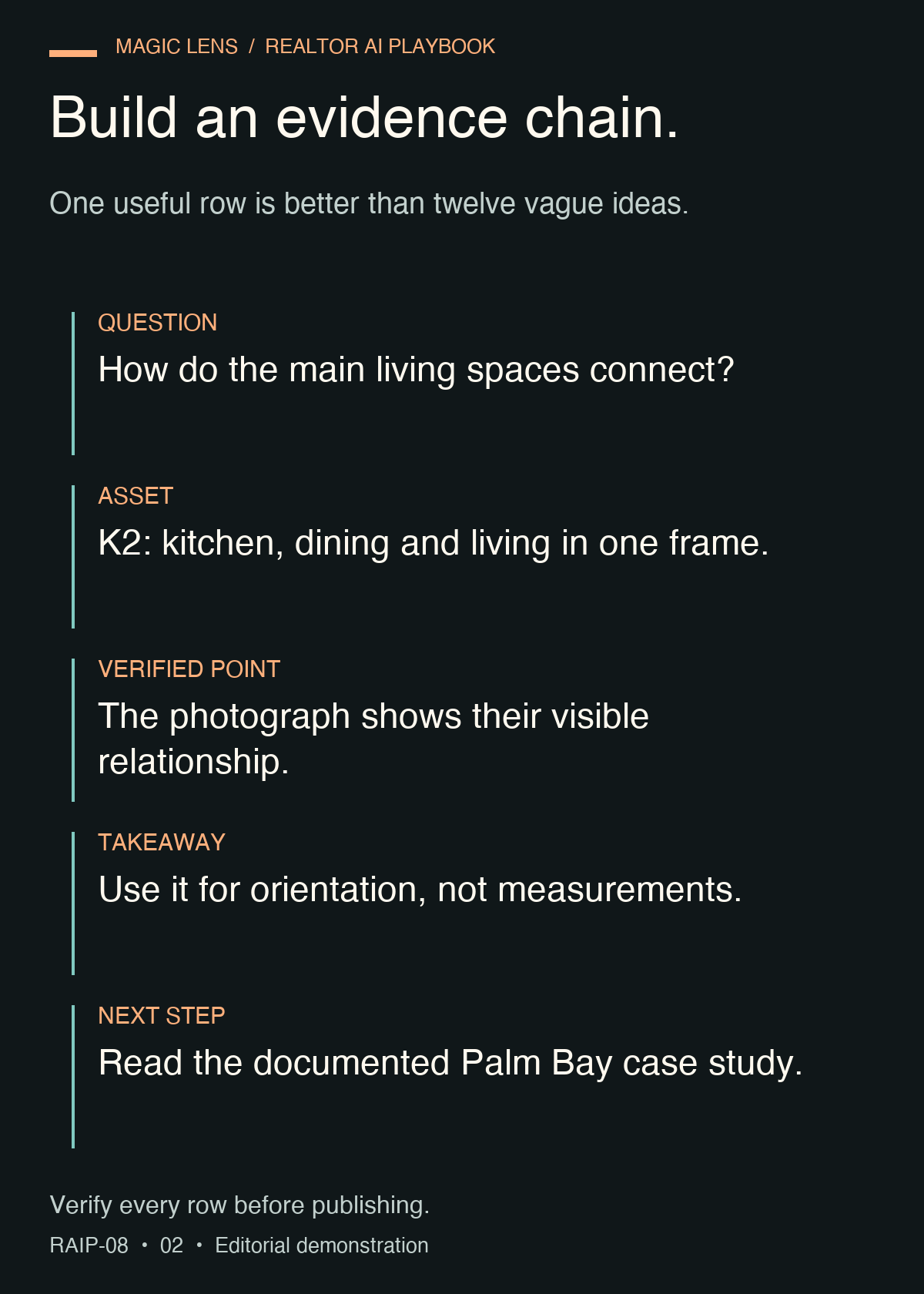
Illustrative input: “Archived Palm Bay model-home project; goal: teach agents to use a delivered gallery. Asset K2 shows the kitchen island, dining table and living area together. No measurements, current availability or downloadable floor plan supplied. Approved next step: read the published case study.”
Illustrative output: “Question: How do the main spaces connect? Asset: K2. Opening: ‘This view helps you place three spaces in the same scene.’ Format: one image with three short observations. Next step: read the case study. Fact check: describe visible relationships only; do not estimate square footage.”
That output earns its place because you can trace every part to an input. Reject a polished version that adds “spacious 2,800-square-foot home” or “perfect for families.” Neither came from the facts supplied, and audience assumptions do not belong in the property description.
Use four checks: Does the image support the statement? Is the takeaway different from another post? Is the next step real? Could the reader use or understand something after reading? Keep the first draft only where it passes all four.
Two refinements that fix common failures
If the list repeats the kitchen ten ways, ask for a comparison of questions before another rewrite:
Compare the audience question and takeaway in each row. Identify
rows that do the same job even if their formats differ. Combine them.
Replace a removed row only when an unused supplied asset or a
documented production note supports a genuinely different lesson.
If the response proposes assets you do not have, narrow the production plan:
Audit this plan against my asset inventory. Mark each row READY,
VERIFY or WAITING. Remove any implication that a missing asset exists.
For each WAITING row, offer a truthful text-and-photo alternative
or state exactly what must be captured or confirmed first.
A still-photo Reel is an option when you have only photographs, but call it a photo sequence. Do not write a script that claims to walk through a doorway if your material cannot show the route. A single useful image with a clear explanation is also a complete post.
Your content ledger, ready to copy
POST NUMBER:
READER'S QUESTION:
ONE TAKEAWAY:
ASSET LABEL AND USAGE RIGHTS:
FACT OR OBSERVATION:
SOURCE / DATE CHECKED:
OPENING LINE:
FORMAT:
REAL NEXT STEP:
READY / VERIFY / WAITING:
HUMAN REVIEWER:
Fill three rows today: one that introduces the property or project, one that explains a visible detail and one that helps someone prepare or evaluate. Leave the other nine as a queue. Recheck listing status and destinations before each publication; a reusable photograph does not make an old availability statement current.
If you are new and have no listing material, practice with a project you have permission to discuss, clearly labeled as an educational example. Or build a smaller set from process questions you can answer honestly. Do not borrow another agent’s listing and present it as your work.
Use the plan to improve the next shoot
You now have twelve possible editorial jobs and a way to separate ready ideas from missing evidence. If a strong concept needs a doorway transition or a detail photograph you do not have, add that need to the brief before the next shoot. Better wording cannot supply missing coverage.
Magic Lens creates real estate photography and visual media in Orlando, Winter Garden and Central Florida. Explore our services and pricing to choose the coverage your content plan calls for, without adding formats that do not serve the property.