

Build the listingbefore the marketmeets it.
The first seven days are not a magic window. They are the first moment your pricing, property preparation, media and presentation have to work together in public.
Consider a listing scheduled to launch on Friday. Photography is booked for Tuesday, but cleaning, staging and access are still unresolved. The first decision is no longer which angle to photograph; it is whether the property is ready to be presented at all.
This is a planning scenario, not a prediction about any individual listing.
When that happens, the consequences do not stop at photo day. A session may need to be delayed, the photographer may need to return, media delivery moves, and the Realtor's intended launch schedule can move with it.
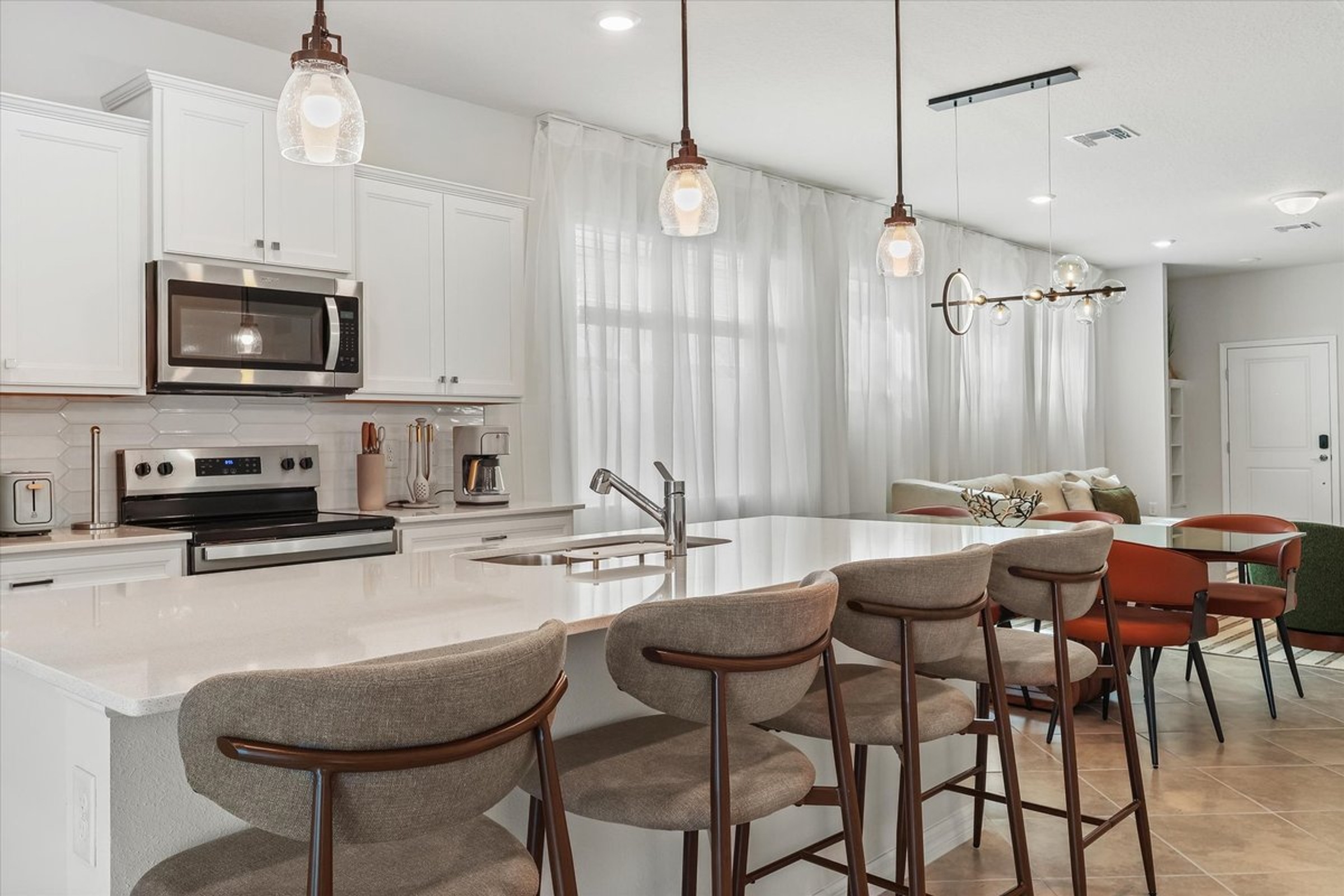
Why Use Seven Days as a Review Window?
I do not treat seven days as a magic number.
There is no rule that says a property must sell, receive a certain number of saves or reach a specific engagement threshold during its first week.
The first week gives the Realtor a practical window for checking whether the listing entered the market the way it was intended to.
Get the property physically ready before media day.
Create the assets the listing actually needs.
Have the important media ready before launch.
Publish a complete visual presentation.
Look for obvious presentation or launch problems.
Review signals without pretending one metric explains everything.
The objective is not to predict the market in seven days.
It is to make sure the listing was not handicapped by problems that could have been solved before launch.
Before Photo Day: The Listing Is Already Being Built
One of the most expensive misunderstandings in real estate media is treating the photography appointment as the beginning of property preparation.
It is not.
Photo day should be the moment the prepared property becomes marketing material.
If essential preparation is unfinished, discuss the available options before proceeding. A return visit, a reduced scope or a different launch date should be agreed with the owner and media provider; none should be assumed to be included.
That is not simply a photography problem.
It becomes a launch-process problem.
Cleaning, decluttering, beds, counters, exterior appearance and staging should be handled before the photographer arrives.
Resolve access, lockbox information, gates, alarms and occupied-property instructions before the appointment.
Decide whether the property requires photography, drone, video, 3D, floor plan, twilight or a smaller combination.
Media Day: Capture What the Launch Actually Needs
Once the property is ready, the next mistake is assuming every listing needs every available media product.
Some properties benefit from aerial context. Some need a floor plan because layout is difficult to understand from still images. Others deserve video because movement, architecture or lifestyle become part of the story.
And some properties need a simpler package executed extremely well.
The goal is not to leave photo day with the most media.
The goal is to leave with the right media.
Still images should explain the property clearly, consistently and without distorted expectations.
Floor plans and 3D tours solve questions that a standard photo gallery may not answer efficiently.
These assets matter when they reveal location, land, movement, architecture or lifestyle.
Before the Listing Goes Live: Assemble the Complete Launch
There is a big difference between having a few photos ready and having the listing ready.
If a floor plan is important, it should be part of the launch plan.
If drone imagery is needed to explain the lot or community, it should not become an afterthought two days after launch.
If social media is part of the strategy, that content should also be considered before the listing is already online.
Media delivery should reduce launch friction.
The Realtor should not be trying to discover the media workflow while simultaneously trying to publish the property.
Do Not Publish the Gallery in Capture Order
The order in which I photograph a property is an operational decision.
The order in which a buyer should see the property is a marketing decision.
Those are not automatically the same thing.
Lead with one of the strongest reasons for someone to continue viewing.
Use living areas, kitchen, primary suite and room relationships to build understanding.
Secondary spaces, exterior views, amenities and aerials should expand the story instead of repeating it.
A gallery should not feel like a memory-card dump.
Sequence is another opportunity to help the viewer understand why the property deserves attention.
Day 1: Go Live Complete
Day 1 is the point where all the preparation becomes public.
The photography is no longer being judged alone.
The buyer sees price, location, description, media, photo order and property details together.
Before You Hit Publish
- Confirm the hero image. It should represent a real, meaningful feature and remain understandable at thumbnail size.
- Review the gallery sequence. Show the main spaces and their relationships before secondary details. Remove accidental duplicates.
- Confirm property facts. Have the listing agent verify room counts, dimensions, amenities and descriptions against the listing information.
- Check every planned media link. Open the delivered version as a viewer. Confirm destination support and any branding restrictions before uploading.
- Review mobile presentation. Test the cover crop, text legibility, interactive controls and contact route on a phone.
- Prepare planned social content. Match the format, opening frame and call to action to the channel and the listing that will actually be live.
Days 1–3: Look for Problems You Can Actually Fix
The earliest days are useful for finding problems that do not require speculation.
Wrong hero image. Missing media. Poor sequence. Broken links. Incorrect information. A major feature that never made it into the presentation.
Look for upload errors, weak sequence, missing media and visual inconsistencies.
Make sure the presentation does not create expectations the property cannot support.
Confirm that the listing and planned marketing assets actually reached the intended channels.
Days 4–7: Look for Patterns, Not Simple Answers
By the second half of the week, Realtors may have more information available: portal views, saves, showing activity, inquiries, agent feedback or social engagement.
Those numbers can help create questions.
They should not automatically become conclusions.
Early activity can show what happened.
It cannot, by itself, explain why.
Views, Saves and Showings Are Signals—not Diagnoses
A view is a platform-defined activity count, not necessarily a unique or qualified buyer. Check how the platform measures it before comparing results.
A save may suggest continued interest, but its meaning depends on context and buyer behavior.
A requested or completed showing is a different action from an online view. Record which one you mean, alongside access, cancellations and agent feedback.
Use early metrics to create a review process—not a story you already decided was true.
A Five-Line Launch Review
- Observed: Name the exact issue or signal, its channel and date range.
- Evidence: Add the public URL, screenshot, metric definition or dated showing feedback.
- Action: Describe one change you can verify. Separate a presentation repair from a pricing decision.
- Owner and due date: Assign the Realtor, seller or media provider and agree on a realistic deadline.
- Recheck: Record when the correction appeared and what remains unknown.
Example, not a client result: “The floor-plan link opened an access screen on mobile on Day 1. The agent will request a viewer link, replace it where supported and retest it today.” That is a useful finding even before any performance numbers arrive.
Compare like with like: the same portal, metric definition and date range. A change in views after a repair does not establish that the repair caused the change.
Six Launch Mistakes I Would Avoid
Avoid turning photo day into preparation day.
Do not intentionally build an incomplete launch if important assets are already part of the plan.
Capture order and marketing order are not the same.
More products do not automatically create more useful information.
A single portal number rarely explains the entire listing.
If social content matters to the launch, incorporate it into production planning.
The First 7 Days Listing Launch Checklist
A Simple Operational Sequence
- Before photo day: Assign the owner or manager responsibility for cleaning, counters, beds, exterior presentation and staging. Agree on a readiness check before the appointment.
- Before media day: The Realtor and media provider confirm access, priority features, the asset list, intended channels and delivery dates. Flag weather-dependent exterior or aerial work early.
- During the session: Compare the agreed priorities with the spaces available to photograph. If a feature is inaccessible or not ready, record the gap and agree on the next step.
- At delivery: The Realtor checks the gallery, resolution options, branded or unbranded versions where applicable, floor-plan labels and every delivered link. Request factual corrections before uploading.
- Before launch: Choose the cover and opening gallery sequence. Match photos to property facts, test links on a phone and confirm the media allowed by each destination.
- Day 1: Open the actual public listing on the intended channels. Save its URL and a dated screenshot; verify that the cover, sequence, facts and supported media appeared correctly.
- Days 1–3: Log missing assets, broken links, incorrect facts or confusing room relationships. Assign one owner and a due date to each fix, then verify the result on the public page.
- Days 4–7: Review available portal activity, inquiries, showing requests, completed showings and agent feedback. Keep the platform, date range and definition of each metric together.
- After the first week: Share a short review with the seller: verified problems, completed corrections, unresolved questions and the next action. Assess pricing and market response with relevant local comparisons; do not attribute the outcome to media alone.
Frequently Asked Questions
Is the first week really the most important period?
I use seven days as a practical review window, not as a guarantee or platform rule. It allows preparation, launch quality and early signals to be reviewed together.
Does every listing need drone, video and 3D?
No. Media should be chosen according to what needs to be communicated about the individual property.
Can low views prove the photography is bad?
No. Exposure, price, inventory, location, demand and other factors can influence views. A metric cannot isolate photography quality by itself.
What should a Realtor check first after launch?
Start with what can be verified directly: hero image, gallery order, missing media, broken links, property information and mobile presentation.
How early should the photographer be booked?
Work backward from the intended launch date. Confirm preparation, access, the delivery schedule for each selected asset and time for your own review. Photography, video and interactive media can have different timelines; use the timing agreed for your actual project.
Do Not Let Launch Day Become Production Day.
The property should be prepared. The media plan should already make sense. The important assets should be ready. And the listing should go live as a complete presentation—not as a project that still needs to be assembled.
For upcoming listings throughout Orlando and Central Florida, Magic Lens can help plan the media before photo day so fewer moving pieces remain unresolved at launch.

Gustavo Sousa
Gustavo Sousa is a real estate photographer, videographer and drone pilot based in Winter Garden, serving Orlando and Central Florida.
Magic Lens Photo Media helps Realtors, builders and property owners plan a clear visual presentation for the property they are marketing.