

REALTOR AI PLAYBOOK · 04
Better Marketing. Stronger Conversations. Practical AI.
You need help writing a buyer update. The easiest move is to paste the whole email thread into ChatGPT. It is also a poor starting habit: the thread may contain details the writing task never needed.
Before opening the tool, write three lines in a local document: the purpose of the message, the facts needed to write it and the next action. Replace personal details with neutral labels. Leave out attachments. If the task still makes sense, you have a smaller, more useful input.
This chapter gives you a practical preparation method, a copyable brief and a fictional before-and-after example. The goal is not to declare information anonymous or promise complete privacy. It is to reduce unnecessary disclosure and make a deliberate decision about what belongs in the tool at all.
Start with the task, not the entire conversation
A drafting task rarely needs everything you know about a client. “Write a short update explaining that a question remains open” needs the question, its status and the next step. It usually does not need the client's full name, contact information, financial documents or reasons for moving.
Work from a blank brief instead of copying a thread and hoping to remove every private detail afterward. This forces you to select relevant facts. It also prevents quoted messages, signatures and forwarded attachments from traveling with the request unnoticed.
Ask yourself: would removing this detail change the quality or accuracy of the draft? If the answer is no, leave it out. If it would, decide whether a broader description or a placeholder would serve the same purpose. When the actual detail is essential, use a workflow approved for that information rather than assuming a general chat is appropriate.
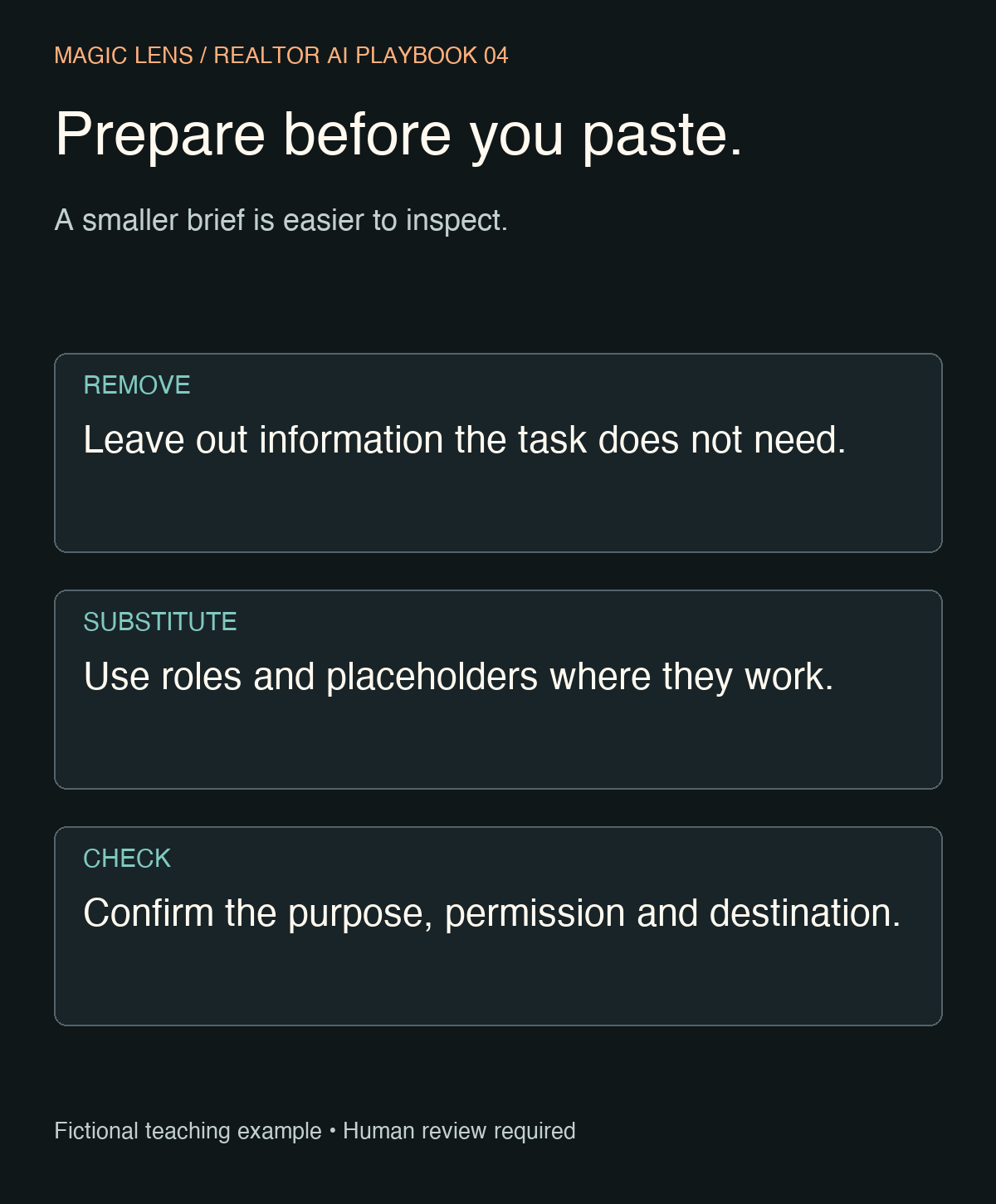
Use three passes before you paste
1. Remove information the task does not need
For an ordinary writing exercise, leave out identity documents, bank details, account numbers, access codes, passwords, private financial records and sensitive personal circumstances. Do not upload a transaction file simply to produce a routine email. Do not include someone else's contact list to create a reusable template.
Property access details deserve particular care. A draft about preparing for an appointment can say “confirmed access instructions will be sent separately.” It does not need a gate code or lockbox combination.
2. Substitute the remaining identifiers
Use labels such as “buyer,” “seller” or “property A” when names and addresses are irrelevant. Replace exact dates with an appropriate placeholder if you can insert the confirmed date locally after drafting. Keep the relationship and sequence clear: a showing request, a pending response and a proposed next step are different facts.
Changing a name alone does not make a record anonymous. A distinctive property, exact timeline and unusual circumstances may still identify someone together. Review the combination of details, not just the obvious identifiers.
3. Check permission, purpose and destination
Before sending the brief, confirm that the tool and account are appropriate under your brokerage's rules and any applicable obligations. Check whether you are using a personal account, a managed workspace or a third-party tool connected to a chat. Those are different destinations with potentially different controls.
A privacy setting is not permission to share information. If you are unsure whether a detail may be shared, leave it out and resolve that question through your approved process. You can still draft a generic structure with no client information.
A fictional example: a useful update without a private thread
The following scenario is invented for instruction. No real client records were used. Imagine an internal note that includes a buyer's name, phone number, property address, personal financing circumstances and a question about whether a requested appointment is confirmed.
Most of those details are unnecessary for this task. The recipient already knows the property they asked about. The draft only needs to distinguish a request from a confirmed appointment.
Prepared brief: Write a short buyer update. A showing has been requested, but the appointment is not confirmed. The agent is waiting for a response from the listing contact. The buyer should wait for confirmation before making travel plans. Do not invent a response deadline or imply that access is approved.
Keep locally: recipient name, property address, exact requested time and the actual communication channel. Add these only where needed after reviewing the draft.
The prepared brief preserves the facts that control the wording. It removes details that would not help the model understand the task. It also states the most important boundary: requested does not mean confirmed.
Use this prompt with information you have already prepared
Help me draft a routine real estate message using only the
prepared facts below. I have removed details the task does not need.

RECIPIENT ROLE: buyer
PURPOSE: clarify the status of a requested showing
CONFIRMED FACTS:
- A showing has been requested.
- The appointment is not confirmed.
- I am waiting for a response from the listing contact.
NEXT ACTION: ask the buyer to wait for confirmation before
making travel plans.
UNKNOWN: when a response will arrive.

Write one warm, clear email under 100 words in American English.
Use placeholders for a greeting and signature.
Do not add a deadline, appointment time, property detail or promise.
Do not infer private circumstances or try to identify anyone.
After the draft, list the facts I should check before sending.
Do not paste the raw thread into ChatGPT and ask it to remove private information as the first step. That would already send the information you were trying to avoid sharing. Prepare the brief before transmission.
What a usable result looks like
Hi [Name],
I have requested the showing and am waiting for a response from the listing contact. The appointment is not confirmed yet, so please wait for confirmation before making travel plans.
I will let you know when I have an update.
[Signature]
This is an illustrative draft, not a tested client message. Its value is the distinction between a request and a confirmation. Before using it, check that you actually made the request, that it remains unconfirmed and that the promised follow-up fits your process. Add only the identifiers needed by the recipient.
If you cannot commit to the last sentence as written, change it. The tool's tone should never create a responsibility you did not intend to accept. You remain responsible for the final message and its timing.
Refine the language without expanding the disclosure
Make the draft shorter for a text message. Preserve the distinction
between requested and confirmed. Keep the instruction about travel
plans. Do not add any facts, dates or commitments.
A useful revision might be: “I have requested the showing, but it is not confirmed yet. Please wait for confirmation before making travel plans. I will send an update when I have one.” Review the commitment again before using it.
Review the draft against my prepared facts. Identify any added
assumption or promise. If a sentence needs information I did not
provide, flag the gap instead of filling it in.
If the model asks for a name or address that the writing task does not need, keep the placeholder. More detail is not automatically a better prompt. The right detail supports the task; the rest creates unnecessary exposure and review work.
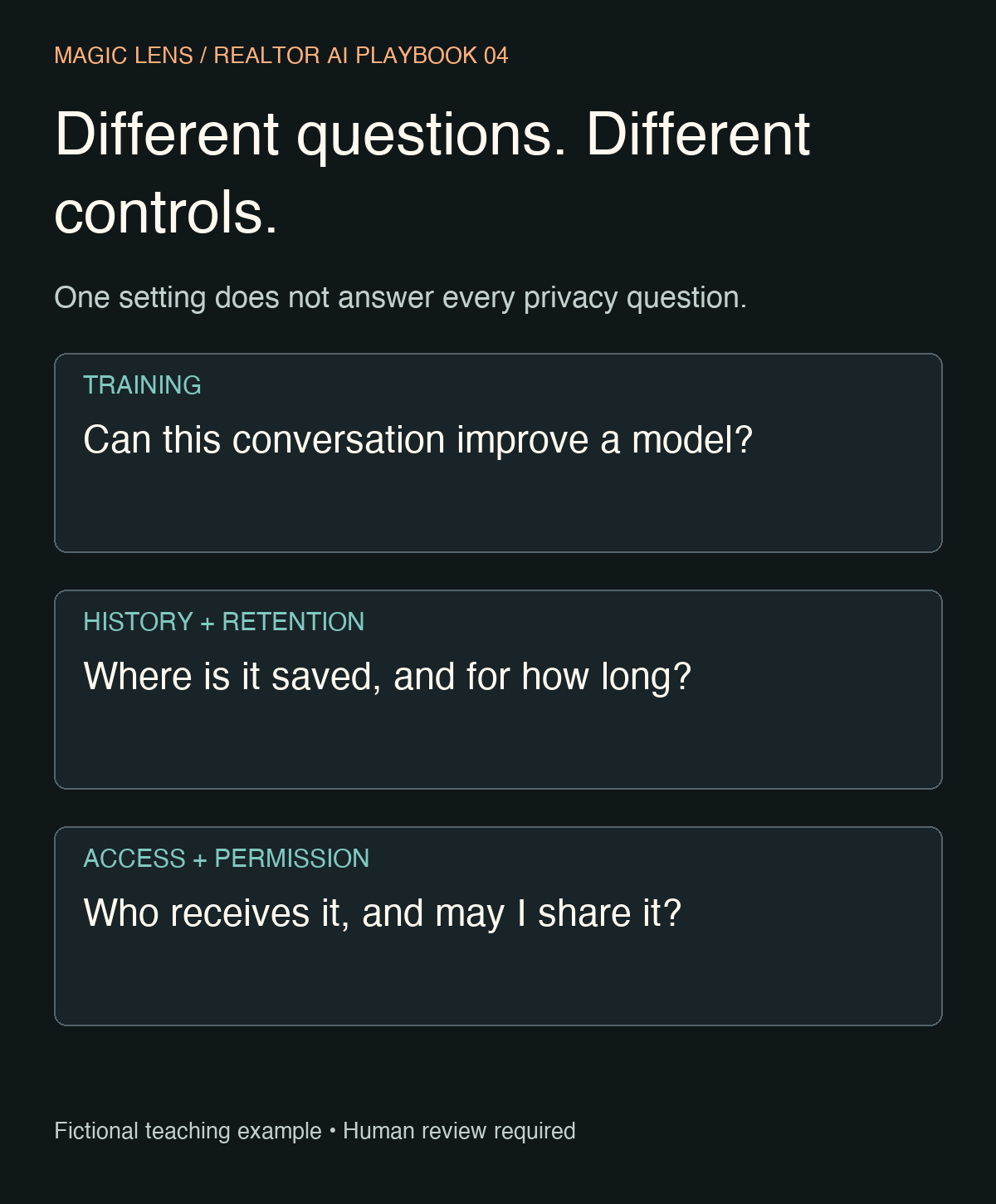
Understand the controls without treating them as a guarantee
Model improvement and saved history are separate. OpenAI's current guidance says you can turn off “Improve the model for everyone” in Settings → Data controls. New conversations can still appear in history, but are not used for model training under that setting. Feedback submissions can include the associated conversation in training, so review what you submit. Available controls depend on the account or workspace. Read the current Data Controls guidance.
Temporary does not mean no retention. OpenAI says Temporary Chats do not appear in history or improve its models while temporary; a copy may be retained for up to 30 days for safety. Current options include Personalized and Unpersonalized modes with different access to existing personalization. Saving a temporary conversation as a regular chat changes which account rules apply. Third-party actions have their own privacy policies. Check the mode and destination before using them. Read the current Temporary Chat guidance.
A business workspace is a separate decision. OpenAI states that business data in its listed business products is not used for training by default. That does not replace your organization's approval process or make every client file suitable to upload. Review OpenAI's business data commitments.
These product details were reviewed on October 17, 2026 and may change. If the controls in your account differ, consult the current documentation and your workspace administrator. This article does not establish legal compliance or a retention policy for your business.
Keep a small preparation card beside your workflow
BEFORE I PASTE
TASK: What exactly do I need help producing?
MINIMUM FACTS: Which facts change the wording or accuracy?
REMOVED: Which private or irrelevant details did I leave out?
PLACEHOLDERS: What will I insert locally after review?
DESTINATION: Is this tool/account approved for this information?
UNKNOWN: What must the draft leave unresolved?

BEFORE I USE THE RESULT
[ ] No invented facts, deadlines or commitments.
[ ] Placeholders replaced only where needed.
[ ] Recipient and attachments checked locally.
[ ] The final wording matches the current situation.
[ ] A person reviews and sends the message.
If you are new to AI or uncertain about an account's settings, start with a completely fictional scenario. Practice producing a structure, then write the real message yourself in your normal system. You can learn the method without uploading a client record.
Your next step is one prepared brief for one ordinary writing task. Keep it small enough to inspect line by line. If a fact has no job in the draft, it does not need to travel with the prompt.
Prepare the scene as carefully as the prompt
You have separated the facts a draft needs from the information it does not. A similar check belongs before listing photography: identify visible paperwork, family photographs and other personal details to discuss with the owner before the shoot. Clear preparation helps you decide what should appear in the images.
For a Central Florida listing, Magic Lens services and pricing can help you plan the photography scope. Keep privacy decisions with the owner and the professionals responsible for the property.